
QuensultingAI Team
Content & Insights
How to Connect Retell AI to Your Tech Stack for Maximum ROI
Key takeaway: Deploying Retell AI gives you a remarkably capable voice agent. Leaving it disconnected from your CRM, live data systems, and follow-up workflows means you are capturing, at best, 20% of the return on investment you paid for. The integration layer is where the ROI actually lives.
Introduction: The Isolation Problem
Deploying a Retell AI voice agent is a genuine competitive advantage.
The conversational fluidity is remarkable. The latency is low enough to feel natural. The consistency it brings to every inbound call, 24 hours a day, with no variation in quality, is something no human team can replicate at scale. If you have been through a Retell AI demo or pilot, none of this is news to you.
Here is the part that often comes as a surprise: if your voice agent is operating in isolation, you are leaving the majority of your return on investment on the table.
A standalone voice bot is a sophisticated phone system. It handles the call, creates a transcript, and stops. Everything that happens after the call, the CRM update, the pipeline stage change, the follow-up message, the escalation to a human, still relies on a human team member finding the time to do it. In practice, that means it often does not get done at the speed your business needs.
True ROI from Retell AI does not come from the conversation. It comes from what the conversation triggers. And that requires your voice agent to be a fully integrated node inside your existing tech stack, not a well-spoken phone system sitting adjacent to it.
Why Disconnected Voice AI Creates a Data Silo
The scenario plays out the same way across industries.
Your AI agent handles a fifteen-minute discovery call. It qualifies the lead, identifies the core pain points, and captures the budget and timeline. The conversation is excellent. The transcript sits in the Retell AI dashboard.
Now a human team member has to find the recording, listen to or read through it, extract the relevant information, manually update the CRM, move the lead to the right pipeline stage, and trigger a follow-up. If that team member is managing twenty calls a day, the lag between call completion and CRM update is measured in hours, not minutes. On a Friday afternoon, it might be Monday.
The business consequences of that lag are direct and measurable:
- Lead response speed drops. Studies consistently show that the probability of qualifying an inbound lead drops sharply within the first hour of contact, and dramatically within the first day. Slow CRM updates mean slow follow-up, which means lower conversion.
- Data quality degrades. Manual entry introduces errors, inconsistencies, and omissions that quietly corrupt the pipeline data your sales reporting depends on.
- The efficiency gain of AI gets absorbed by the administrative overhead it was meant to eliminate. Your team is spending time on data entry that the AI already did once, in the call itself.
This is not a Retell AI problem. It is an integration architecture problem.
The Three Integration Layers That Unlock Full ROI
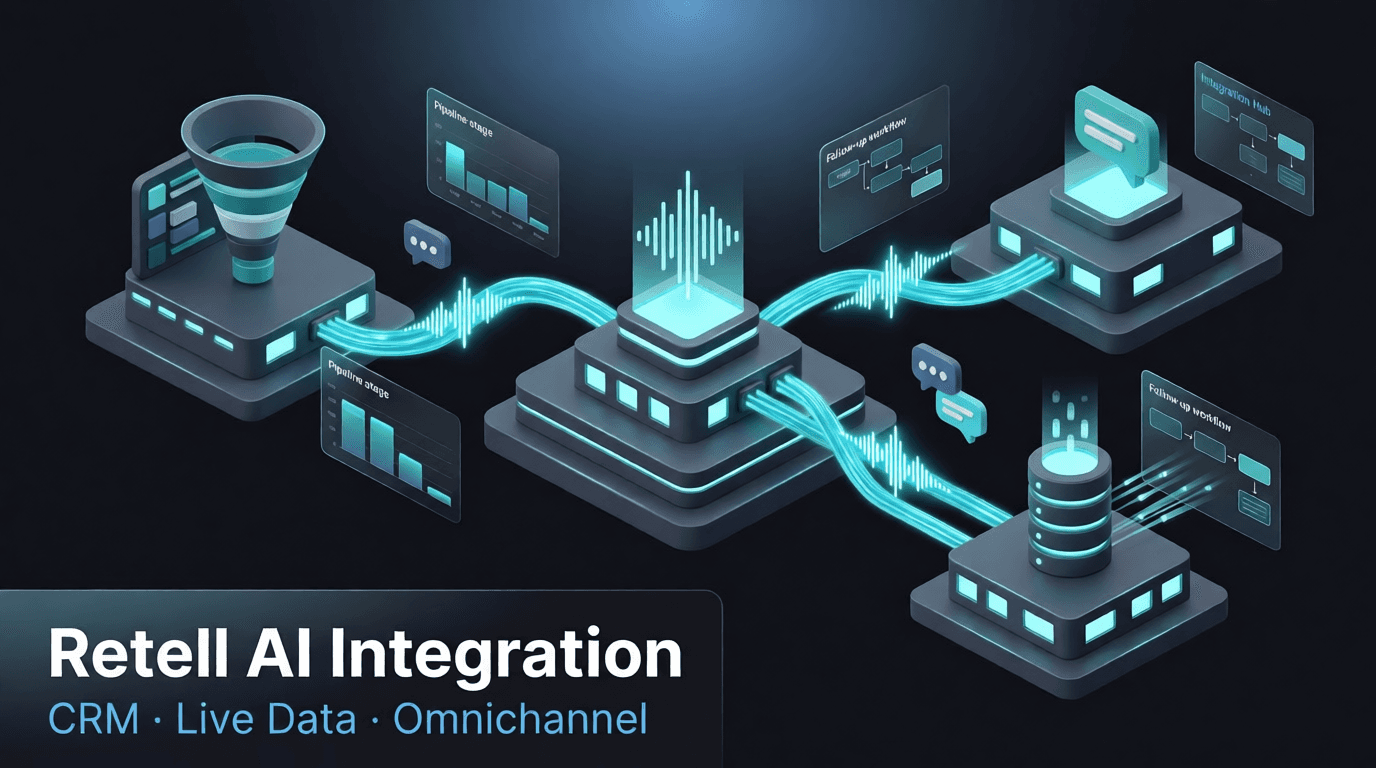
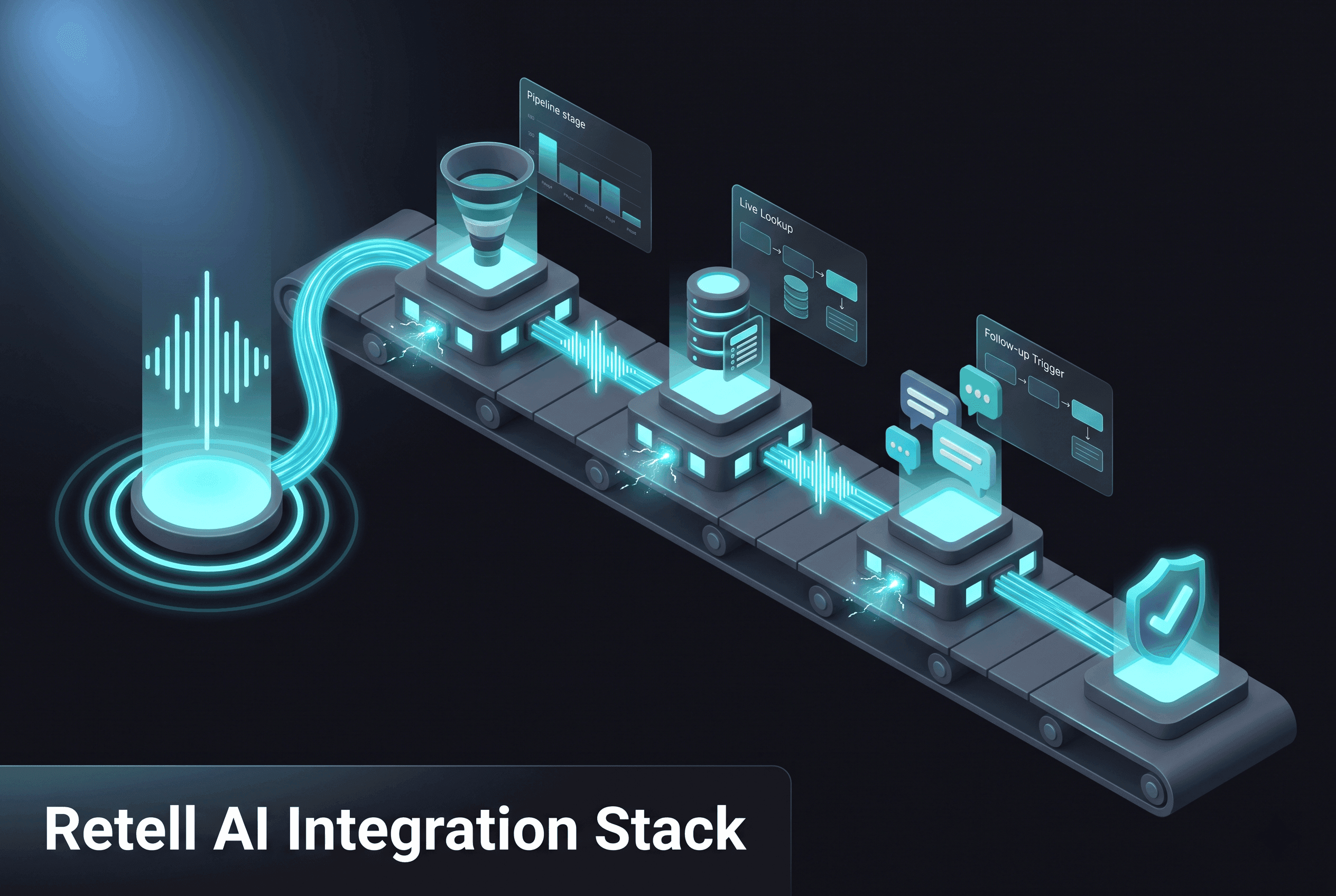
To close the gap between conversation and execution, you need to connect Retell AI across three distinct layers. At QuensultingAI, these are the layers we build around every voice agent deployment.
1. Bi-Directional CRM Synchronisation
When a call ends, the data extraction and CRM update should happen in the same second, not in the next available hour on a team member's calendar.
Custom integrations allow the voice agent to extract structured data from the conversation automatically: lead budget, decision timeline, stated pain points, call sentiment, and any specific commitments made during the call. That structured data maps directly into the relevant fields in HubSpot, Salesforce, Zoho, GoHighLevel, or whichever CRM your team uses.
The pipeline stage updates automatically based on what the call established. If the prospect confirmed a follow-up meeting, the deal moves to negotiation. If the call identified a disqualifier, the lead is marked accordingly. If the agent logged a specific product interest, it is tagged for the right account manager.
The result: your CRM reflects reality at all times, with zero manual input, and zero lag between what the AI learned and what your team can act on.
This is also bi-directional. Before a call, the voice agent can pull existing customer data from the CRM, account history, previous interactions, known preferences, and use that context to personalise the conversation in real time. The agent is not starting from zero every time. It knows who it is talking to.
2. Real-Time Data Retrieval and Lookup
Give your voice agent a live memory.
By connecting Retell AI to your internal product databases, inventory systems, pricing engines, or proprietary APIs, the agent can retrieve and use live information mid-conversation, without pausing, without asking the caller to wait, and without routing to a human just to answer a factual question.
An e-commerce agent looks up real-time shipping statuses and delivery ETAs while the caller is on the line. A healthcare scheduling agent cross-references live practitioner calendars to confirm availability without putting the patient on hold. A SaaS sales agent pulls up account-specific pricing and feature entitlements based on the caller's phone number before the first question is asked.
This capability changes the nature of the conversation. Instead of a call that collects information and promises a follow-up, you have a call that resolves the customer's question in a single interaction. First-call resolution is one of the highest-value metrics in customer operations, and it requires this integration to deliver at scale.
The technical requirement here is non-trivial. The data retrieval needs to happen within the latency envelope of a natural conversation, typically well under 800 milliseconds. This is achievable, but it requires purpose-built API architecture, not a standard off-the-shelf automation connection. More on this below.
3. Automated Omnichannel Follow-Ups
The most powerful automation in the stack triggers the moment the call ends.
Rather than waiting for a human to process the call and decide what to do next, an integrated system triggers immediate, contextual workflows based on the call outcome, automatically, consistently, every time.
If a prospect requests a proposal during the call, a webhook fires the instant the call ends: a personalised contract or quote link is generated and delivered via text or WhatsApp within minutes, while the conversation is still fresh in the prospect's mind. If a customer requires human escalation, an automated notification routes to your support team via Slack or Microsoft Teams, with a structured call summary attached, so the agent picking it up has full context without listening to a recording. If the call identified an upsell opportunity, the appropriate nurture sequence starts immediately.
The business impact is compounded: faster follow-up, higher relevance, lower human workload, and every outcome actioned the same way every time, regardless of which team member is on shift.
The Latency Problem Nobody Talks About
Many teams attempt to build these integrations using standard off-the-shelf automation platforms. The approach is understandable, tools like Zapier or Make are familiar, accessible, and work well for many use cases. For voice AI integration, there is a specific risk that is worth understanding before you build.
Voice AI success is measured in milliseconds.
Natural human conversation operates within a latency window of roughly 200 to 500 milliseconds for response initiation. Any integration that introduces data retrieval lag beyond that window breaks the conversational experience: the agent pauses noticeably, the illusion of a natural dialogue is broken, and the caller's confidence in what they're interacting with drops immediately.
Standard point-to-point automation tools can introduce delays of one to three seconds in live data lookup scenarios. At that latency, the voice experience degrades in ways that undermine the investment in a platform like Retell AI.
The solution is not to avoid real-time data integration, it is to build the middleware correctly. Custom API architecture with optimised data chunking, connection pooling, and response caching eliminates the bottleneck entirely. The data moves at the speed the voice processing requires, and the conversation remains seamless.
At QuensultingAI, eliminating this latency bottleneck is a non-negotiable part of every Retell AI integration we build. It is not a premium feature. It is a baseline requirement for the integration to deliver on what Retell AI makes possible.
What a Fully Integrated Retell AI Setup Looks Like in Practice
The difference between a standalone voice agent and a fully integrated one is visible at every stage of the customer lifecycle.
Before the call: the agent pulls the caller's profile from the CRM, account history, recent interactions, open tickets, stated preferences from previous calls. The conversation is contextualised from the first second.
During the call: live data retrieval answers factual questions in real time. Product availability, pricing, appointment slots, account balances, resolved without hold time, without human escalation, without the caller feeling like they are talking to a system that doesn't know them.
At call completion: CRM updates instantly. Pipeline stage reflects the call outcome. Follow-up workflows trigger immediately based on what was established. If a human needs to be involved, they receive a structured brief before they even know there's an action to take.
Across the week: your sales and operations team works from a CRM that is always current, a pipeline that reflects real status, and a follow-up queue where the AI has already done the first layer of action. They focus on what requires judgment. Everything that does not, runs automatically.
This is what turns Retell AI from a voice interface into an integrated operational asset. And it is the difference between a pilot that generates interest and a deployment that generates measurable returns.
Building for Scale, Not Just for Today
One thing worth building into the architecture from the start: the integration should scale with your call volume without requiring a redesign.
A setup that works well at 50 calls a day needs to work just as cleanly at 500. That means webhook handling that does not queue, CRM write operations that do not bottleneck, and middleware that handles concurrent calls without degrading response times for any one of them.
It also means building integrations that can accommodate changes to your tech stack over time. CRM migrations happen. Platforms get replaced. The integration layer should be structured so that swapping out one connected system, say, moving from HubSpot to Salesforce, does not require rebuilding the entire pipeline.
The companies that treat voice AI integration as infrastructure, designed to last, built to scale, maintained like a production system, are the ones that get three years of compounding returns on their initial investment. The ones that treat it as a quick connection job find themselves rebuilding from scratch twelve months later.
Do not let your voice AI live on an isolated island. The conversation is where the relationship starts. The integration is where the value gets captured.
Talk to us about your Retell AI infrastructure →
Frequently Asked Questions
Retell AI has native webhook and API capabilities that allow integration with CRM platforms. However, native webhook connections handle basic data passing. Structured field mapping, bi-directional sync, and pipeline automation logic require custom integration development on top of those native capabilities. That is the layer QuensultingAI builds.
With correctly built custom middleware, live data retrieval adds less than 300 milliseconds, within the threshold for natural conversation. Standard off-the-shelf automation tools can add one to three seconds, which noticeably degrades the voice experience. Architecture quality matters significantly here.
HubSpot, Salesforce, Zoho CRM, GoHighLevel, and custom-built CRM systems via API. If your CRM has a documented API, integration is achievable. We assess the specific platform and data model during the infrastructure audit before any build work begins.
Yes. Webhook-triggered WhatsApp automation is one of the highest-ROI integrations in the stack. A personalised message, quote link, meeting confirmation, support reference, or re-engagement, can be delivered within seconds of call completion via the WhatsApp Business API. See our WhatsApp AI bot guide for details on how we build this.
A focused integration covering CRM sync, one live data retrieval connection, and omnichannel follow-up automation typically takes three to five weeks, depending on the complexity of the CRM data model and the number of backend systems involved. We start with an infrastructure audit to scope the build accurately before committing to a timeline.
Yes. QuensultingAI deploys Retell AI integrations for clients across India, the US, the Middle East, and Southeast Asia. The integration architecture is the same regardless of geography; the CRM platforms, telephony providers, and compliance considerations vary by market and are assessed accordingly.
Related links
- Retell AI Developer Documentation
- HubSpot CRM API Reference
- Salesforce REST API Guide
- Meta WhatsApp Business Platform
- Retell AI documentation
- NIST Cybersecurity Framework
- Retell AI Official Documentation
- QuensultingAI — Why Retell AI
- CRM Integration Solutions
- WhatsApp AI Bot
- AI automation services
- Voice AI bots
- WhatsApp AI bot
- CRM integration
Ready to Get Started?
Let's discuss how voice AI can transform your business. Free consultation available.