
Rajesh K Babbar
Content & Insights
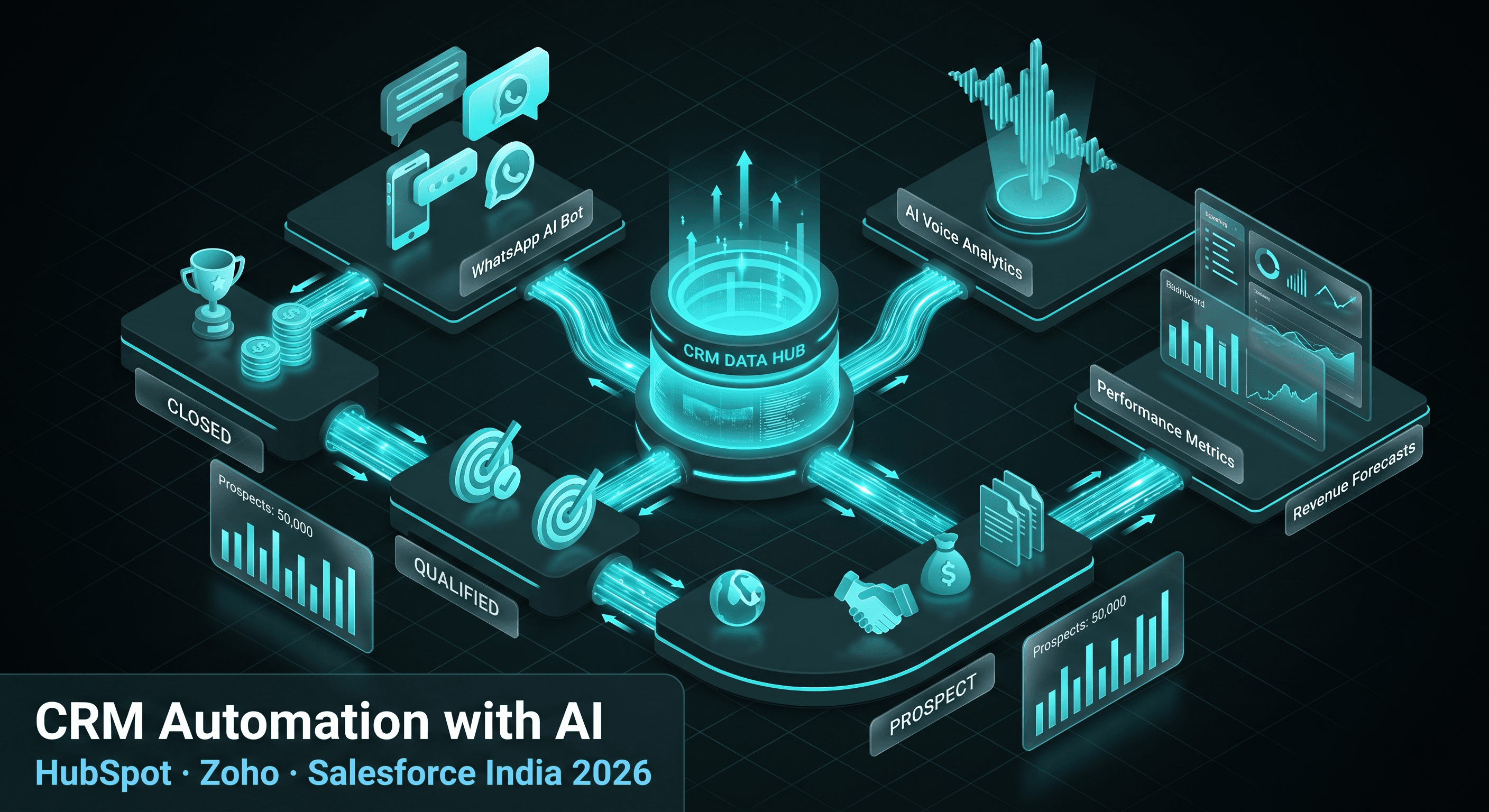
CRM Automation with AI in India : How to Connect HubSpot, Zoho, and Salesforce to Voice AI and WhatsApp
How Indian businesses automate CRM workflows with AI: post-call updates, lead scoring, pipeline moves, and WhatsApp follow-ups connected to HubSpot, Zoho, and Salesforce via n8n.
Key takeaway: Most Indian CRMs are reporting tools, not real-time intelligence systems. AI-powered automation pushes structured data from every voice call and WhatsApp conversation into HubSpot, Zoho, or Salesforce within seconds, so your pipeline reflects what actually happened on the last interaction.
- How voice AI feeds CRM automatically
- The n8n integration architecture
- HubSpot vs Zoho vs Salesforce for Indian SMEs
- WhatsApp and CRM in the same workflow
- Implementation checklist
- Frequently asked questions
The CRM data problem in India
Ask any Indian B2B or B2C sales leader how confident they are in CRM accuracy. The honest answer is usually "not very."
CRM records in most Indian companies are delayed, incomplete, and inconsistent. Reps update deals after the fact. Free-text notes replace structured fields. Pipeline stages drift from reality because nobody had time to log the last call.
The root cause is manual entry. People under quota pressure do not consistently type call outcomes into HubSpot at 6 PM.
AI automation removes that bottleneck. When a voice call or WhatsApp thread ends, structured data should land in CRM before the rep refreshes their dashboard. That is the difference between a CRM that reports history and one that drives the next action.
If your team runs voice AI bots or a WhatsApp AI bot, the integration layer is what converts conversation volume into pipeline truth.
How voice AI feeds CRM automatically
When a call ends on Retell AI, Vapi, or Dograh, the platform emits a webhook with transcript, duration, disposition, and metadata. The automation layer extracts business fields from that transcript:
- Budget or deal size stated by the prospect
- Purchase or renewal timeline
- Decision-maker status
- Stated pain points and objections
- Sentiment signal (positive, neutral, objection)
- Agreed next step: demo, proposal, callback, not interested
Those fields map to CRM properties within seconds. The contact record enriches. The deal stage moves. A follow-up task assigns to the owner. The rep's next touch starts with full context, not a blank activity log.
This works the same whether your voice stack is Retell-first, Vapi-first, or a hybrid with Plivo or Exotel on the telephony side. The CRM contract is platform-agnostic: webhook in, structured update out.
The n8n integration architecture
n8n is the connective tissue between voice platforms, LLM extraction, CRM APIs, and WhatsApp triggers. A typical post-call workflow looks like this:
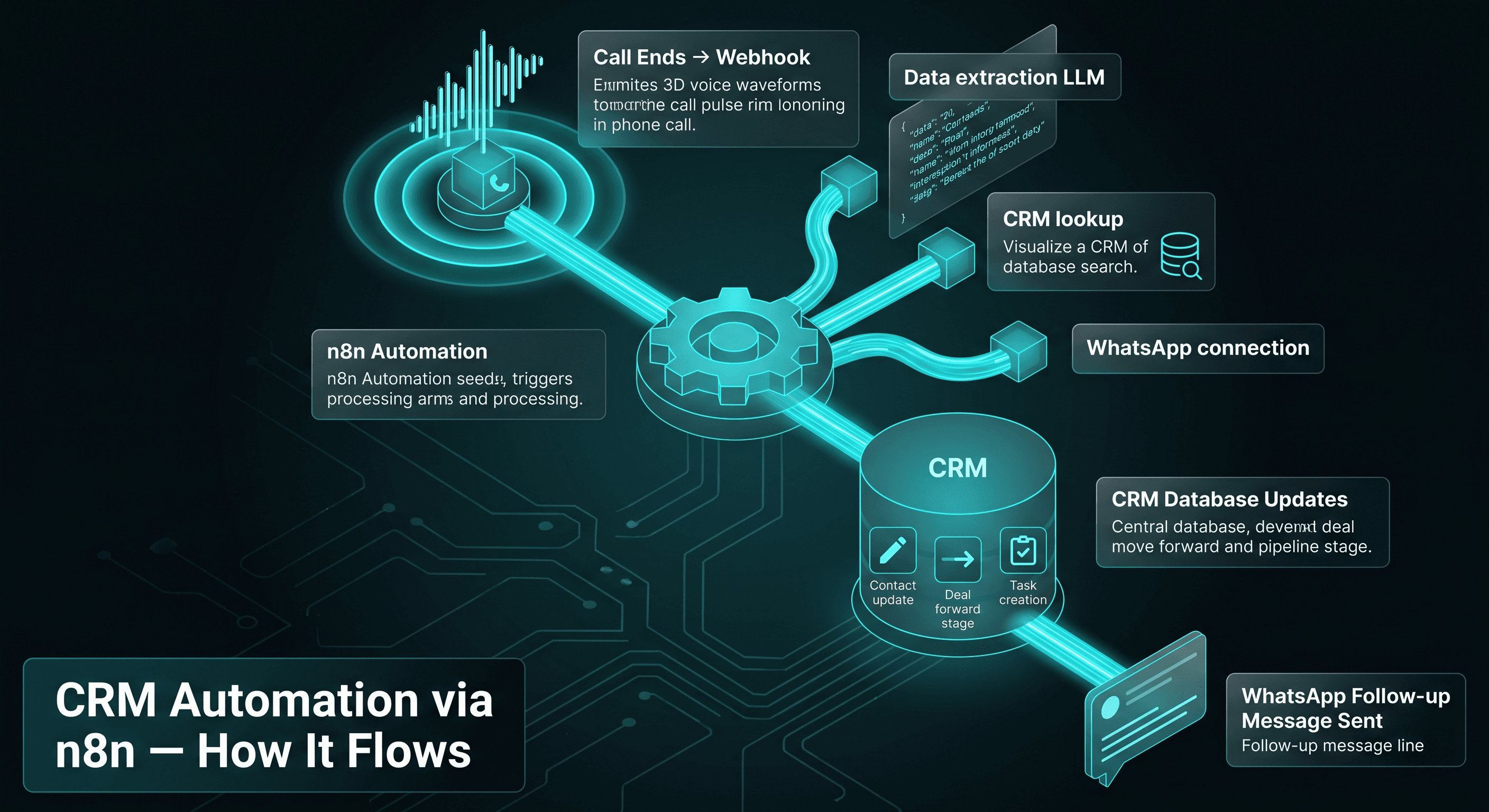
Step 1: Trigger
Call ends. Voice platform fires webhook to n8n with call ID and transcript URL.
Step 2: Structured extraction
n8n calls an LLM with a strict JSON schema: only approved fields, no free-form invention. Validation rejects malformed payloads before they touch CRM.
Step 3: CRM lookup
Search HubSpot, Zoho, or Salesforce by phone number or email. Match existing contact or create new record with source attribution.
Step 4: Update or create
Patch contact properties. Attach call summary to timeline. Link to open deal if one exists.
Step 5: Pipeline move
Rules engine maps call outcome to stage: Qualified, Follow-Up Required, Not Interested, Callback Requested. No rep click required.
Step 6: Task and WhatsApp
Create task for assigned owner with summary. If the caller requested a brochure or payment link, trigger WhatsApp message via Business API.
End-to-end runtime is typically under 10 seconds. That speed is what makes CRM automation feel live rather than batch-processed.
Our CRM integration deployments use this pattern across dozens of Indian SMEs. The CRM brand changes. The event-driven architecture does not.
HubSpot vs Zoho vs Salesforce for Indian SMEs
| CRM | Best for | Integration ease | India notes |
|---|---|---|---|
| HubSpot | Marketing-led inbound, content funnels | Excellent REST API | Free tier available; paid plans from roughly ₹3,000/month |
| Zoho CRM | SME all-in-one, India-first ops | Very good API, local support | Made in India; from roughly ₹1,300/user/month |
| Salesforce | Enterprise complex sales, multi-team | Powerful but heavier setup | Enterprise pricing; common in large BFSI |
| LeadSquared | EdTech, BFSI, high-velocity inside sales | Good API | India-focused, strong in education and lending |
| GoHighLevel | Agencies, multi-client management | Good for agency workflows | USD pricing; popular with marketing agencies |
For most Indian SMEs starting AI plus CRM automation, Zoho CRM or HubSpot are the practical entry points. Salesforce is the right choice when you already have Sales Cloud governance, custom objects, and a dedicated RevOps function.
QuensultingAI has connected voice AI and WhatsApp automation to all of the above. Platform choice is a business decision. The automation pattern is the same.
WhatsApp and CRM in the same workflow
Voice gets the conversation. WhatsApp keeps the thread alive.
After a qualification call, the same n8n workflow can send a payment link, brochure PDF, or meeting calendar link on WhatsApp. Inbound WhatsApp messages should also write to CRM: new lead capture, support ticket creation, or deal note append.
Bidirectional sync matters. If a rep updates stage manually in Zoho, your automation should not overwrite it on the next webhook unless rules explicitly allow it. Conflict handling belongs in the workflow design, not as an afterthought.
See AI automation for how we combine channels into one operational model.
Implementation checklist
Before go-live, confirm:
- Field mapping document approved by sales ops: which transcript fields map to which CRM properties
- Idempotency on webhooks so duplicate events do not create duplicate tasks
- Error alerting when CRM API rate limits or auth tokens fail
- Human override path when extraction confidence is low
- Audit log of automated updates for compliance-sensitive industries
Timeline for a standard voice-to-CRM integration: 2 to 4 weeks including UAT with real call samples.
Frequently Asked Questions
Yes. If the system exposes a REST API, n8n can connect via HTTP nodes. Custom field mapping is required.
We build and maintain the n8n workflows. Your team continues normal CRM usage. Automation adds data; it does not replace your CRM UI.
All three support webhooks and post-call data export. Choice depends on latency, Hindi support, and your telephony provider. We deploy all three in production.
Not if designed correctly. Best practice is append-only timeline events for AI summaries, with pipeline moves governed by explicit rules.
Related on this site
Ready to Get Started?
Let's discuss how voice AI can transform your business. Free consultation available.